FieldMesh – a simple way to build small off-grid networks with MeshCore
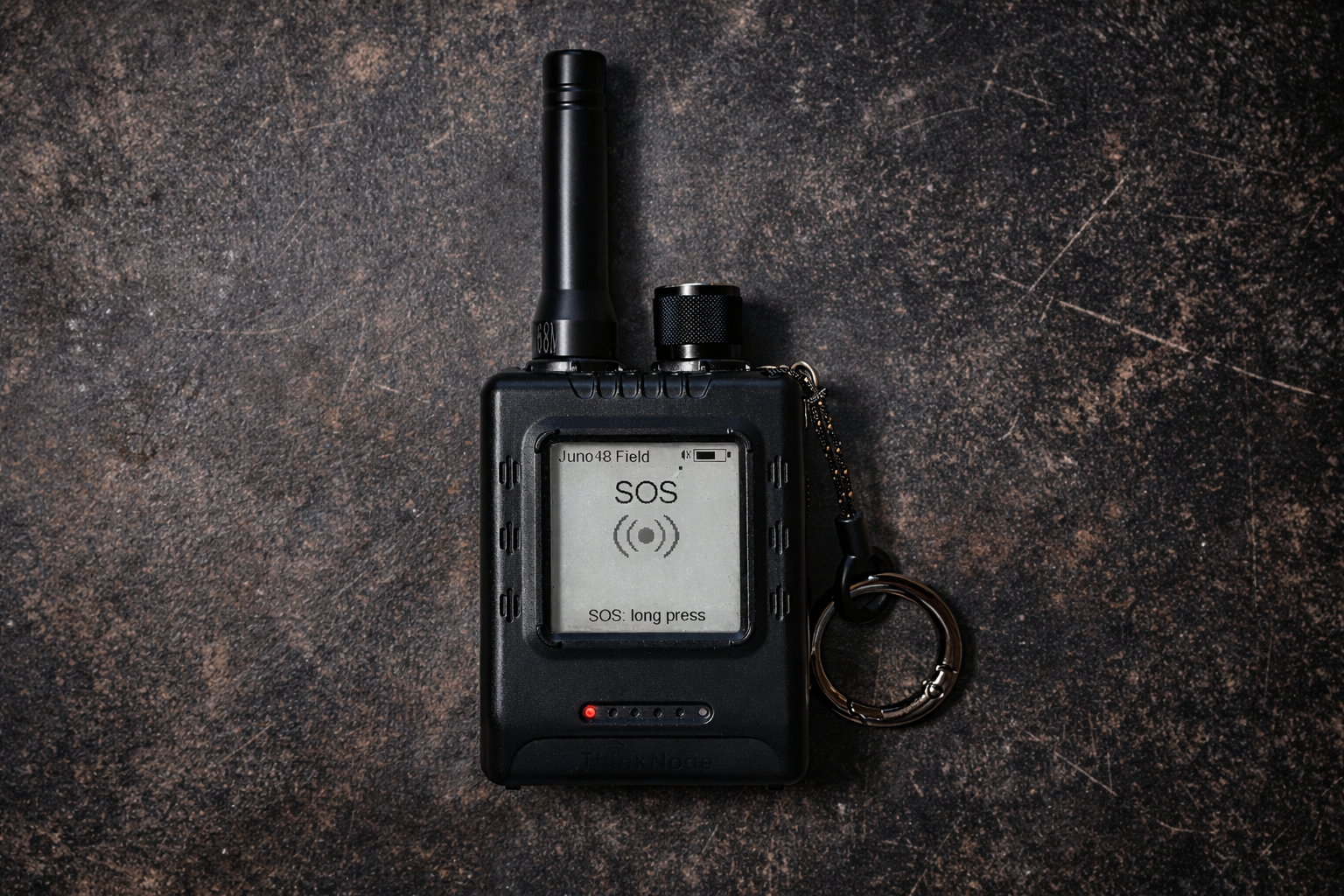
In situations like music festivals or outdoor activities, it quickly becomes clear how dependent groups are on working mobile networks. Once those networks get overloaded, even basic coordination becomes difficult. That’s exactly the kind of practical problem FieldMesh was built to address.
Why I started looking into this
I regularly visit larger music festivals. On the festival grounds, the mobile network is usually so overloaded that communication within the group becomes almost impossible.
When looking into off-grid communication, you often end up with Meshtastic. This is a mesh network: a technology that allows text messages and GPS locations to be sent directly from device to device – completely independent of cell towers, satellites, or the internet.
The strength of Meshtastic clearly lies in small, spontaneous ad-hoc networks – exactly what you need in these situations. The problem, however, is that people don't just use the hardware in off-grid scenarios. Once you have it, you want to use it in everyday life – at home, in the city, or between nearby towns.
And that’s exactly where it stopped working well for me. The network becomes crowded very quickly, a lot of telemetry data is sent, and actual communication becomes unreliable. Meshtastic works great for small, local setups, but for me, it doesn’t quite fit into everyday use.
Then I came across MeshCore. It is minimalist, stable, and fast. But in the field, I noticed that a few things were missing or cumbersome. That’s why I created FieldMesh – a MeshCore fork that starts exactly where it matters outdoors.
The Philosophy: Efficiency over Radio Chaos
The biggest difference between Meshtastic and MeshCore is the way messages are distributed. In Meshtastic, every device forwards every packet by default. This sounds good but leads to massive "spam" and collisions on the radio band when there are many users.
MeshCore takes a different approach: only selected nodes act as repeaters. This keeps the network extremely clean and efficient.
Where MeshCore didn’t quite fit my use case
That said, there was still a gap.
MeshCore is strong when infrastructure is present. But as soon as you are on the move completely without dedicated repeaters, it quickly becomes inconvenient.
With the introduction of Client Repeat (where all devices in the network repeat a message), the technical foundation was there to build these small, local networks – but using it was anything but practical. Changing frequencies, adjusting parameters, remembering values – none of that works well "on the fly" in the field.
The idea behind FieldMesh
The original idea was therefore simple: a preset that covers exactly this use case. A quick switch to a local off-grid network without having to configure everything manually. And above all: so simple that you can give devices to people who have no experience with the topic.
This Off-Grid Mode uses a different radio frequency than the existing network, which is why less emphasis has to be placed on airtime. Out of this, FieldMesh was born. Over time, more functions have been added, all aimed at this specific use case – small, local networks that work without a lot of setup.
That’s how FieldMesh started
Over time, more features were added, all focused on making that use case easier.
Features in Detail
GPS Tracking & Auto-Advert (Network Quietness)
MeshCore by default doesn't send any telemetry data at all to keep the airtime free for text messages. FieldMesh preserves this network hygiene but automates the essentials for the group:
The Tracking Page: Calculates the distance to your favorites directly on the node using the Haversine formula. Contacts are color-coded (Green < 5 min).
Intelligent Advert: Your node sends its position automatically every 5 minutes.
The Clue: We use a hop limit of 0 (Zero-Hop). While Meshtastic positions often burden the entire network over several hops, FieldMesh only reaches friends within direct line of sight. This saves massive amounts of airtime while giving your group the necessary security.
Message History (Messages Without a Smartphone)
HomeScreen shows you at a glance what's happening in the group — no phone required:
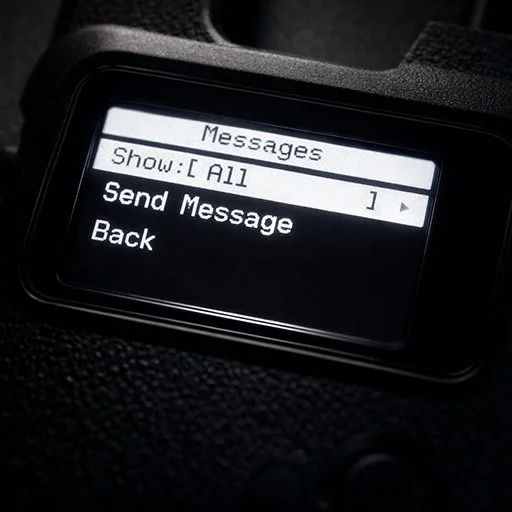
Message history directly on the display: Up to 32 messages are stored in RAM and accessible at any time. One message per view, scrollable from newest to oldest.
Favorites filter: A long press opens the message menu. There you choose between "All" (every message) and "Favorites" (only messages from contacts you've marked as a favorite).
HomeScreen counter: The
MSG:counter on page 1 always shows the number of unread messages. Additionally, the name of your most recent favorite and the timestamp of their last message appear there — a quick orientation at a glance.Clean separation: "Deleting" in the history only removes the display copy. MeshCore's smartphone sync queue remains untouched at all times.
Text Input & Send (Wio Tracker L1)
For the Wio Tracker L1 with joystick, FieldMesh goes one step further: messages can be composed and sent directly from the device, completely without a smartphone.
Channel selection: First, choose the target channel from the configured list.
Character selection via joystick: Left/right selects the character, press confirms it. A long press sends the finished message.
Off-Grid Mode (From Client to Repeater)
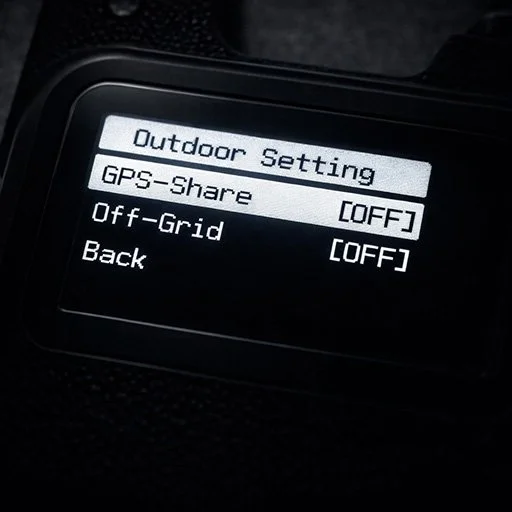
This is the heart of FieldMesh. I took MeshCore's "Client Repeat" logic and optimized it for real off-grid use. If you notice in the woods that your group's connection is breaking up, you need a repeater immediately – without fumbling through long menus.
FieldMesh offers a One-Press Toggle for this:
Automatic Repeater: With one click, your node activates Client Repeat. All nodes in this mode stay connected with each other. Without needing a nearby repeater.
Legally Compliant Frequencies: In the EU, FieldMesh uses the g1 sub-band (869.4625 MHz / SF11). This is legal, offers a 10% duty cycle, and has a 62 kHz offset from the standard mesh. This way, you build your own radio field without disturbing the main network. Outside of the EU you have to manually set the frequency inside the MyMesh.cpp.
Seamless Switch: Your normal radio parameters are saved in the background. If you turn off the Off-Grid mode, your node is immediately back in the original mesh without you having to reconfigure anything.
SOS System with Hardware Alarm
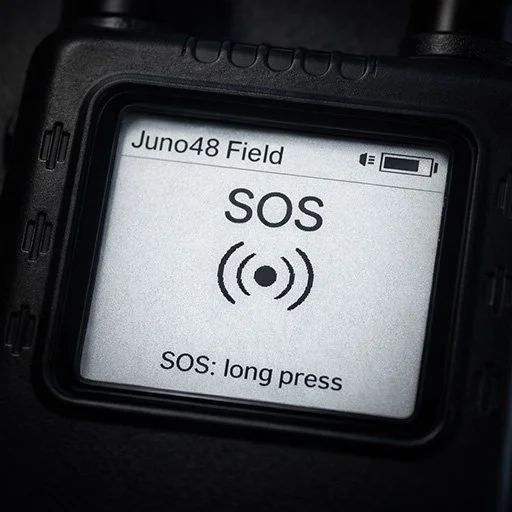
A feature you hopefully never need, but one that makes all the difference in an emergency, is the integrated SOS system. A digital emergency call is of little use if it only appears as a silent message on a phone buried deep in a backpack.
Two-Stage Security: To avoid false alarms, the trigger is protected. A long press on the SOS page opens a confirmation before the signal is actually sent.
Buzzer Alarm & Coordinates: FieldMesh automatically looks for a channel named "sos" and sends an
!SOScommand including your current GPS coordinates.Safety You Can Hear: Receiving devices not only show the sender's name but also trigger a hardware buzzer alarm. This alarm loops until it is manually acknowledged on the device. This ensures that an emergency call is noticed even in noisy environments or windy conditions.
Context
FieldMesh is not a fully planned product.
It grew out of a specific need and developed over time. I’m not a professional developer, and I built this out of personal interest. Because of that, the current state is quite pragmatic.
Some things are still hardcoded, and hardware support is limited simply because I don’t have access to more devices.
GitHub & what’s next
f you want to take a look or try it yourself:
https://github.com/TogeriX-hub/FieldMesh
Feedback, ideas, or real-world experiences are always welcome.Als nächste Schritte schaue ich mir aktuell vor allem an:
Right now, I’m mainly looking at:
improving the messaging interface
making off-grid configuration more flexible
taking inspiration from existing custom firmware (e.g. Wio Tracker L1)
FieldMesh started as a simple idea — and grew from there.